LabelOp Moments · Free browser app
Search inside a video by describing the scene
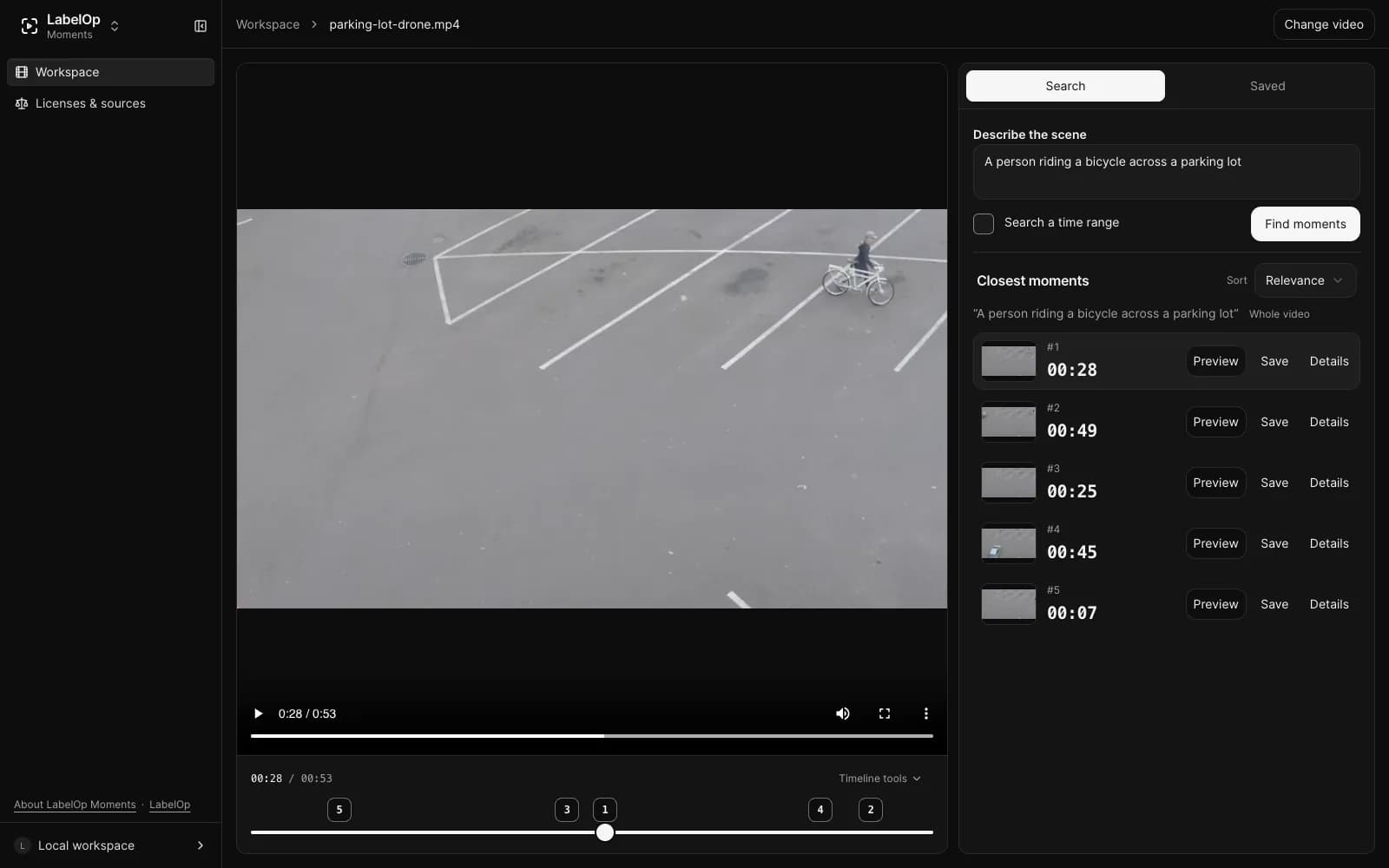
Type what you are looking for, such as "a red car turns left at night", and Moments returns the matching timestamps in your video. The search model runs on your device, so the video never leaves your browser.
Free. No account. Desktop Chrome or Edge with WebGPU.
How it works
- 01
Choose a video
Pick an MP4 with H.264 video from your computer, or drop it onto the page.
- 02
Download the model once
Approve the one-time 388 MB model download. Your browser caches it for later visits.
- 03
Describe the scene
Type what you are looking for and jump to the closest moments while analysis continues.
What you can do with Moments
Describe it, jump to it
Search in plain words and get up to five ranked moments, each with a thumbnail and timestamp you can preview.
Search while it analyzes
Moments samples about one frame per second. You can search as soon as the first frames are ready.
Narrow and refine
Limit a search to a time range, sort by relevance or time, and refine a result to the best frame in its window.
Private and offline
There is no upload endpoint. After the one-time model download, search works offline.
Frequently asked questions
- Is LabelOp Moments free?
- Yes. Moments is free to use, with no account or sign-up.
- Is my video uploaded?
- No. The video, decoded frames, and your searches stay in your browser. The app has no upload endpoint.
- What do I need to run it?
- Current desktop Chrome or Edge with WebGPU and hardware acceleration, an MP4 file with H.264 video, and about 388 MB of browser storage for the search model.
- Can it cut or export clips?
- No. Moments finds and plays timestamps in one video at a time. It does not cut, export, or analyze audio.