LabelOp Tracker · Free browser app
Free video annotation tool with object tracking
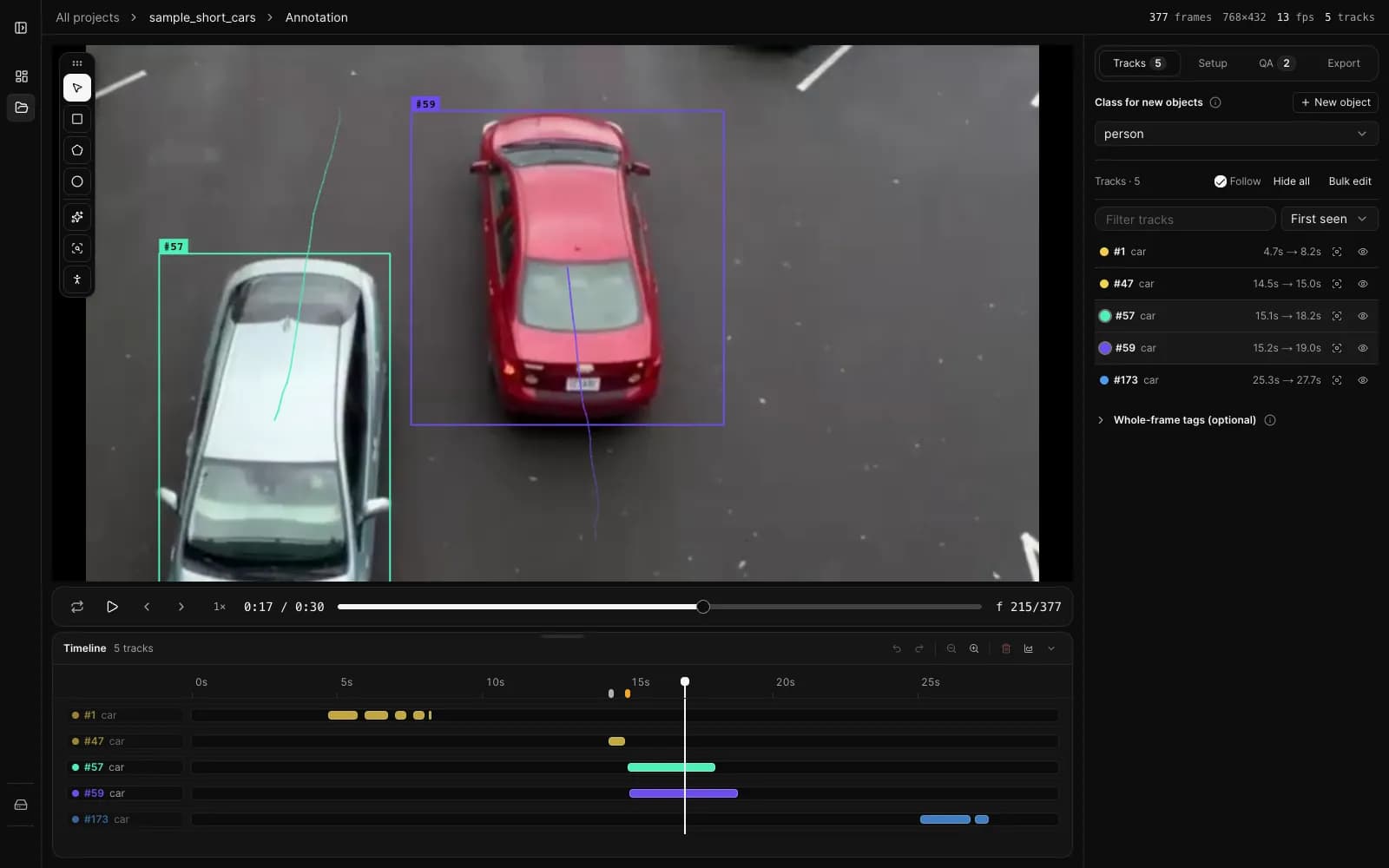
Open a video, let a detector and tracker propose boxes across every frame, fix what is wrong, and export a COCO or YOLO dataset. Tracker runs in your browser tab, so your video stays on your computer.
Free. No account. Chrome or Edge recommended.
How it works
- 01
Open a video
Drop in an MP4, M4V, or MOV file. Tracker decodes it in your browser with WebCodecs.
- 02
Auto-annotate and review
Run the detector and tracker, then fix boxes and tracks on the timeline. The review queue points you to likely mistakes.
- 03
Export your dataset
Download COCO or YOLO as a ZIP, ready for training.
What you can do with Tracker
Auto-annotate on your GPU
RF-DETR detects the 80 COCO classes and ByteTrack links the boxes into tracks. Both run locally through WebGPU.
Fix tracks on a timeline
Edit keyframes, split tracks, fill gaps, and remap classes. A review queue flags sudden jumps and other likely mistakes.
Export a training dataset
Download COCO JSON, YOLO TXT, YOLO-SEG, YOLO-POSE, or YOLO-CLS as a ZIP, with decoded JPEG frames when you need them.
Keep the footage private
Projects live in your browser storage. Videos and annotations are never sent to a server.
Frequently asked questions
- Is LabelOp Tracker free?
- Yes. Tracker is free to use, with no account, sign-up, or usage limit.
- Is my video uploaded?
- No. Decoding, detection, tracking, and export all happen in your browser tab. Projects are stored in this browser, and only the model weights are downloaded once on first use.
- Which browsers and video formats does it support?
- Use a current version of Chrome or Edge. Tracker opens MP4, M4V, and MOV files and needs WebCodecs to decode them. Auto-annotation needs WebGPU; without it you can still draw boxes by hand.
- Which export formats are available?
- COCO JSON with boxes, masks, and keypoints, plus YOLO TXT, YOLO-SEG, YOLO-POSE, and YOLO-CLS. Exports are packaged as a ZIP and can include JPEG frames.