LabelOp Retouch · Free browser app
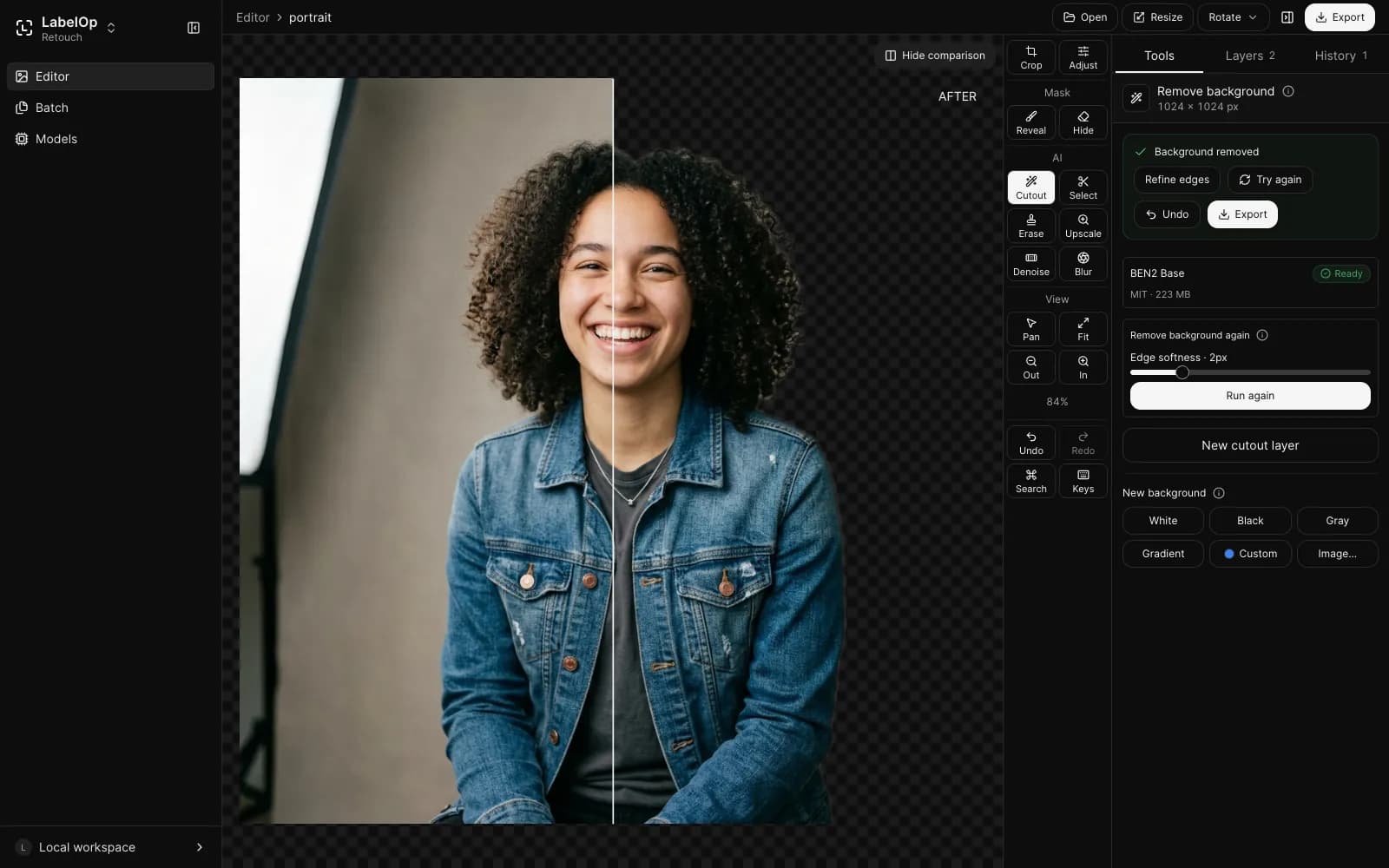
Remove backgrounds and upscale photos in your browser
Cut out a subject, upscale a photo 4x, or clean up noise with AI models that run on your own device. Retouch never uploads your images, and it works offline once a model is cached.
Free. No account. Works best in Chrome or Edge.
How it works
- 01
Open a photo
Open, drag in, or paste an image. It stays on your device.
- 02
Pick a tool
Remove the background, upscale, denoise, or erase an object. Each model downloads once, after you approve it.
- 03
Refine and export
Touch up edges with the brushes, then export PNG, WebP, AVIF, or JPEG.
What you can do with Retouch
Background removal
Cut out the subject in one click, then refine the edge with brushes and remove color fringes without rerunning the model.
Upscale and denoise
Enlarge photos up to 4x and reduce noise and JPEG artifacts, one image at a time or in Batch mode with a ZIP export.
Select and erase objects
Click to segment an object, or paint over one to remove it from the photo.
Export for any use
Save PNG, WebP, or AVIF with transparency, or JPEG, with size presets for marketplaces and social posts.
Frequently asked questions
- Is LabelOp Retouch free?
- Yes. Retouch is free to use, with no account or sign-up.
- Are my photos uploaded?
- No. Photos are opened, edited, and exported in your browser tab. Only the AI models are downloaded, after you approve each one.
- Which browsers does it work in?
- Chrome and Edge 113 or later run the models on your GPU with WebGPU. Other browsers use a slower WebAssembly fallback, and the object eraser needs WebGPU.
- How large can my image be?
- Files up to 50 MB and up to 16,384 px on the longest side. Above 24 megapixels the editor offers to downscale first.